11 Nov, 2025
How to make FM26 feel like FM24 – Best Mods and Settings
Want to recreate that FM24 Experience on FM26? Then we’ve got you covered.
Despite Sports Interactive’s high volume of hotfixes, it seems the game is still falling far short of community expectations.
With the bug tracker still growing by the day, and new glitches and UI issues being reported by the second, it seems that come release many of the existing issues will remain in the game. This follows the news that the official release will not include a huge range of hotfixes, but rather just be the exact same as the BETA with the watermark removed.
This has led many to turn the eyes towards the modding community. Not least to address some of the issues left unaddressed by Sports Interactive. Particularly those to do with the UI and the general loading speed of the game.
Before assessing the speed of the game, make sure you check if your PC can run FM26, as many of the new graphics and UI will place a different strain on CPUs.
What They Haven’t Addressed
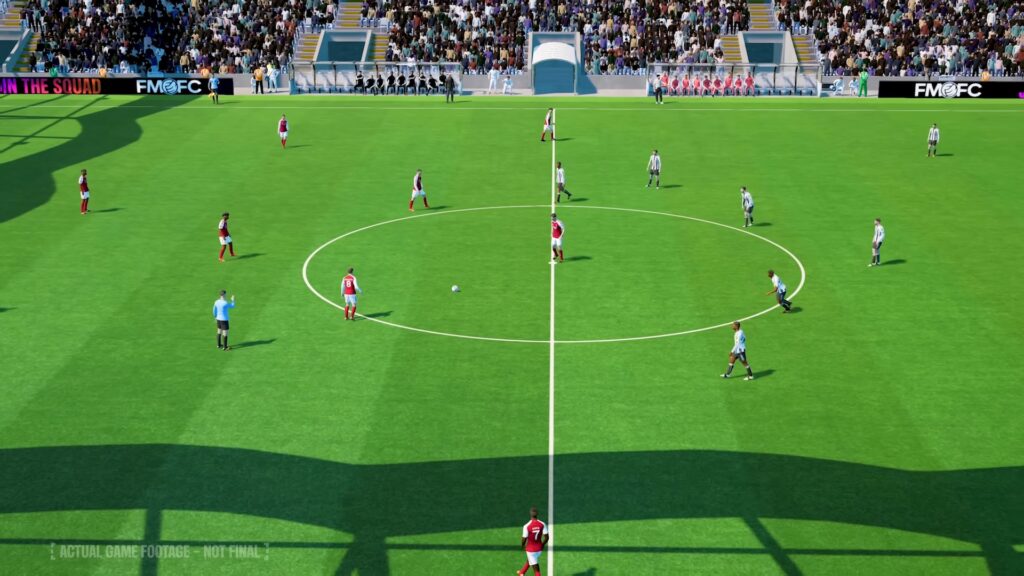
One of the key things Sports Interactive has been yet to address has been the seemingly console‑oriented UI on FM26. Many users have reported a much more simplistic and lengthy process required to navigate around the game. This has led to the accusations of Sports Interactive pandering towards the console market.
Another key area they have only begun to address has been the general speed and bugs to do with gameplay. Particularly on match days. Many users are still reporting speed issues and crashes despite the latest hotfixes rolled out in this area. As a result, Sports Interactive may have their work cut out for them on this front.
Patch 26.0.4 – What’s Changed
This is where things get interesting. With patch 26.0.4, SI delivered over 300 fixes and quality‑of‑life improvements. Reddit+3Sports Interactive Community+3FM Scout+3 Key highlights relevant to our “make it feel like FM24” goal include:
-
Added a preference to turn off or alter the speed of UI transitions between screens. Sports Interactive Community+1
-
Changed default attribute colours to make them more distinguishable, plus a preference to allow users to customise attribute colours. Sports Interactive Community+1
-
Added 1.5× Match Speed during highlights and 4× Match Speed between highlights. Sports Interactive Community+1
-
Numerous crash & stability fixes including matches freezing, UI navigation issues & text overlaps. Reddit+1
These changes already address several of the biggest frustrations: snappier interface, improved UI control, and fewer system‑breaking bugs. That said, there’s still a gap between the official improvements and the full “feel” of FM24 — hence the continued value of tweaks and mods.
Best Mods & Settings for the FM24 Experience
Now, even though it is still very early doors, the modding community has already got to work on improving the game we all love. Below you will find not only mods, but also changeable settings. All aimed towards helping you recreate the FM24 experience on FM26.
1. Decrease UI scaling
Launch FM26 → go to Preferences → Display/Interface → set UI scaling to the smallest comfortable size (make text smaller, UI panels tighter). This will make text far smaller and provide the user with a much more holistic UI experience as a result.
Patch note context: With the new transition‑speed preference, the UI feels faster natively — but making the panels tighter further restores the dense information layout of FM24.
2. Adjust match‑processing and league realism
One of the most impactful changes you can make is tweaking how the game processes other teams’ matches. By default, FM26 sometimes runs these in “fast” mode to improve performance, but this can result in unrealistic league outcomes and odd upsets. To fix this, go to Preferences → Detailed → Processing → “Speed to Process Other Teams’ Matches” and change from Fast to Normal (more responsive). Players report this makes league tables, awards and player stats feel far more believable, closer to what FM24 offered.
Patch note context: While the patch didn’t explicitly adjust this setting, the improved UI responsiveness and match speed options help counterbalance simulation delays — making this tweak still valid.
3. Use Bookmarks aggressively

This can reduce navigation overhead and replicate that “sidebar quick‑jump” feel from FM24. With UI navigation length proving one of the main complaints associated with FM26, making use of the bookmarks can save users tons of time and replicate the snappy UI experience from FM24.
4. Download the FM26 Speed Patch (Mod)
The first and perhaps best thing you can do is download the latest FM26 UI Speed patch from BassyBoy (via FMScout). So far this patch has made a significant improvement on the speed of the UX, with a reported ~250% increase in speed. To say the game runs smoother would be an understatement, and the quicker, snappier feel this provides the overall UI goes part of the way to recreating that FM24 feeling of being able to quickly cycle through the interface.
Patch note context: With the native transition‑speed preference now in the game, you may find you need fewer third‑party patches — but for players on slower hardware or seeking the full FM24 feel, this mod remains extremely useful.
5. Download a New (Old) Skin
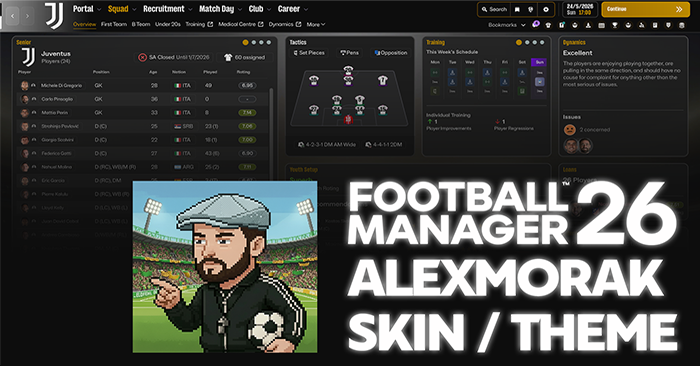
One of the main complaints about the UI has been the clunky purple and blue colours that seem to clutter the screen. One of the best mod‑skins we found is the AlexMorak Theme/Skin v0.4. This skin is focused on removing these clunky colours and recreating some of the minimal simplicity that we all loved from FM24. While naturally not an exact replica due to the large overhaul in game files, it does provide some refreshing simplicity.
6. Camera Mod
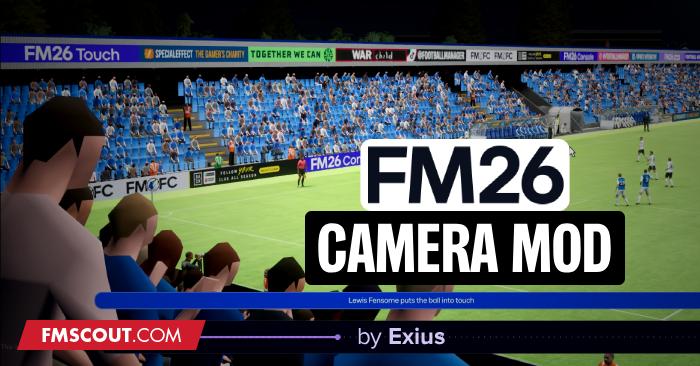
One of our favourite new mods to download is the FM26 Camera Mod. Whatever camera angles you used to use on FM24, or if you wanted to try out newer angles, this mod has you covered. The FM26 Camera Mod by Exius allows users a much more enhanced range of angles — allowing for a much more personal game feel.
7. Attribute Grouping Mod
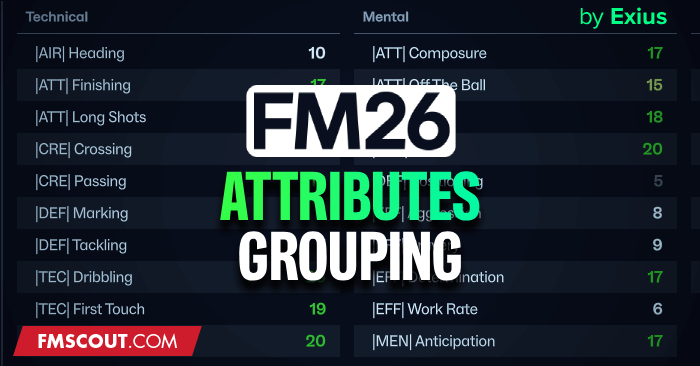
Another absolute banger from the man Exius comes in the form of the FM26 Attribute Grouping Mod. Many players may not remember which sub‑group and categories each attribute fits into. This mod provides a colour‑coding scheme where players can now easily identify technical, mental, physical and goalkeeping attributes.
Patch note context: With the new attribute‑colour customisation built into FM26 (patch 26.0.4), this mod overlaps a little with native features — but it still adds an extra layer of clarity that many FM24 veterans appreciated.
8. Load fewer leagues & simulate wisely
There are a number of other options such as rebinding hotkeys to recreate navigation, prioritising ‘List View’ settings where possible and changing colour schemes. All of which can contribute further towards a more FM24‑felt version of the game. But one of the most important simulation tweaks: load fewer leagues at game start, particularly leagues you won’t manage. Set secondary leagues to manual or monthly simulation so the CPU can focus on what matters – this restores realism and avoids weird promotions/upsets.
9. Restore youth & squad‑management flow
Another aspect that defined FM24 was the smooth management of youth and reserve teams. FM26’s changes can make squad rotations and U19/U21 schedules feel clunky. To mimic the old experience, take advantage of squad templates and save your preferred line‑ups. Set up friendlies for your youth teams and use squad templates to rotate players efficiently on match day. These small adjustments restore much of the intuitive control FM24 players enjoyed.
10. Download the Old School Icons Mod

BassyBoy is back with another banger mod which allows users to incorporate the old schoold 2d player icons during matches. This was a persoanl favourite of mine and defintely goes some way to restoring that old school classic FM feel. Download it on FM Scout Here!
The Full Checklist
The FM26 to FM24 Full Unified Checklist
| Category | Setting / Mod | Action / Details | Patch / Notes |
|---|---|---|---|
| UI & Display | UI Scaling | Preferences → Display/Interface → set UI scaling to smallest comfortable size. | Tighter panels and smaller text restore FM24 feel. Patch 26.0.4 adds UI transition speed improvements. |
| UI & Display | UI Transitions | Preferences → Interface → adjust UI transition speed. | Makes the interface snappier. Complements UI scaling and optional speed mods. |
| UI & Display | Bookmarks | Set bookmarks for key screens (Squad, Tactics, Inbox, Scouting). | Replicates FM24 sidebar quick-jump feel. |
| UI & Display | List Views & Hotkeys | Prioritize List Views, rebind hotkeys for quicker navigation. | Reduces clicks and menu navigation frustration. |
| Match Processing | Other Teams’ Matches | Preferences → Detailed → Processing → “Normal (more responsive)” | Improves realism in league tables, awards, and stats; still recommended post-patch. |
| Match Processing | Match Speed | Use patch 26.0.4 1.5× highlights / 4× between highlights | Native speed options reduce simulation lag and improve snappiness. |
| Match Processing | Load Leagues Strategically | Only load leagues you actively manage; set minor leagues to manual or monthly simulation. | Focus CPU on key competitions; avoids unrealistic results. |
| Mods | FM26 UI Speed Patch (BassyBoy) | Speeds up UI navigation across all menus | Optional if using patch 26.0.4’s UI transition settings. FMScout Link |
| Mods | AlexMorak Theme/Skin v0.2 | Minimalist, cleans up clunky purple/blue UI | Restores FM24 visual simplicity. FMScout Skins |
| Mods | FM26 Camera Mod (Exius) | Restores FM24 or custom camera angles | Personalizes in-match experience. |
| Mods | FM26 Attribute Grouping Mod (Exius) | Color-codes attributes by technical, mental, physical, goalkeeping | Patch 26.0.4 adds native colour control; mod still enhances clarity. |
| Squad & Youth Management | Squad Templates | Save line-ups for quick rotation on matchday | Replicates FM24 smooth squad control. |
| Squad & Youth Management | Youth Friendlies / Schedule | Schedule U19/U21 friendlies proactively | Ensures continuous youth development. |
| Squad & Youth Management | Rotation & Sub-Teams | Use saved templates to rotate players efficiently | Maintains FM24-like workflow. |
| Visual Tweaks | Attribute Colours | Preferences → Display → Customise attribute colours | Patch 26.0.4 native option; tweak for FM24 familiarity. |
| Visual Tweaks | Custom Skins / Colour Schemes | Use AlexMorak or create your own | Improves readability and interface density. |
| Optional / Extras | Rebind Hotkeys | For faster navigation | Works with bookmarks and List Views. |
| Optional / Extras | Monitor Upcoming Mods | Sidebar layout, old tactics screen mods | Keep an eye on SortitoutSI, FMScout, Reddit communities. |
Upcoming Mods & Community Watch
As well as these current changes you can deploy, it is worth noting that the modding community is already hard at work on even more features which can be deployed in the coming weeks and months. These include:
-
A Sidebar layout mod and the reversion to the old Tactics layout seen in previous games — both of which would be massive updates in terms of UI feel.
-
Keep an eye on the following forums:
👉 /r/footballmanagergames
👉 SortitoutSI Mods
👉 FMScout Skins Section
Conclusion
While FM26 introduces some inevitable changes, you don’t have to abandon the feel of FM24. By adjusting match‑processing, fine‑tuning the interface, using a combination of native patches and community mods, restoring smooth youth and squad management, and loading your leagues strategically — you can create a game that feels familiar yet benefits from FM26’s improvements.
Thanks to patch 26.0.4, a number of the original frustrations are already addressed: faster UI transitions, better colour control, and greater match‑speed options. But the full “FM24 feel” still needs your customisation and tweaks. Once everything is dialled in, FM26 can feel remarkably like the FM24 you know and love — but with the upgrades and potential of this new version.
Make sure you keep an eye on our Feature Articles page for more FM26 Updates.