13 Nov, 2025
How to Get the Spacebar Working on Football Manager 26
Our resident Football Manager expert takes you through a step by step guide on how to add the famous spacebar back to FM 26!
I woke up this morning and the sun was shining a bit brighter. I had a smile on my face and it felt like everything was going to be OK. Had I taken something? No. It’s because the spacebar is back in Football Manager. You wouldn’t think something so small could have such a huge impact, but it honestly feels like I’ve been reunited with a long-lost family member after 10 years.
However, in typical fashion, it’s not the easiest thing to get working again. You have to follow a few steps, because of course you do. So I’ve written this guide to help you bring the spacebar back to life and enjoy Football Manager 2026 like normal (well, normal until they fix the rest of the game).
How to get the spacebar working in FM 26:
- First, open Steam.
- Click on the little cog that says Manage when you hover over it. It’s the one next to the small i on the right of the screen.
- Scroll down to Properties and click on it.
- Go to Betas. In the drop-down menu next to Beta Participation, make sure public_beta – public_beta is selected.
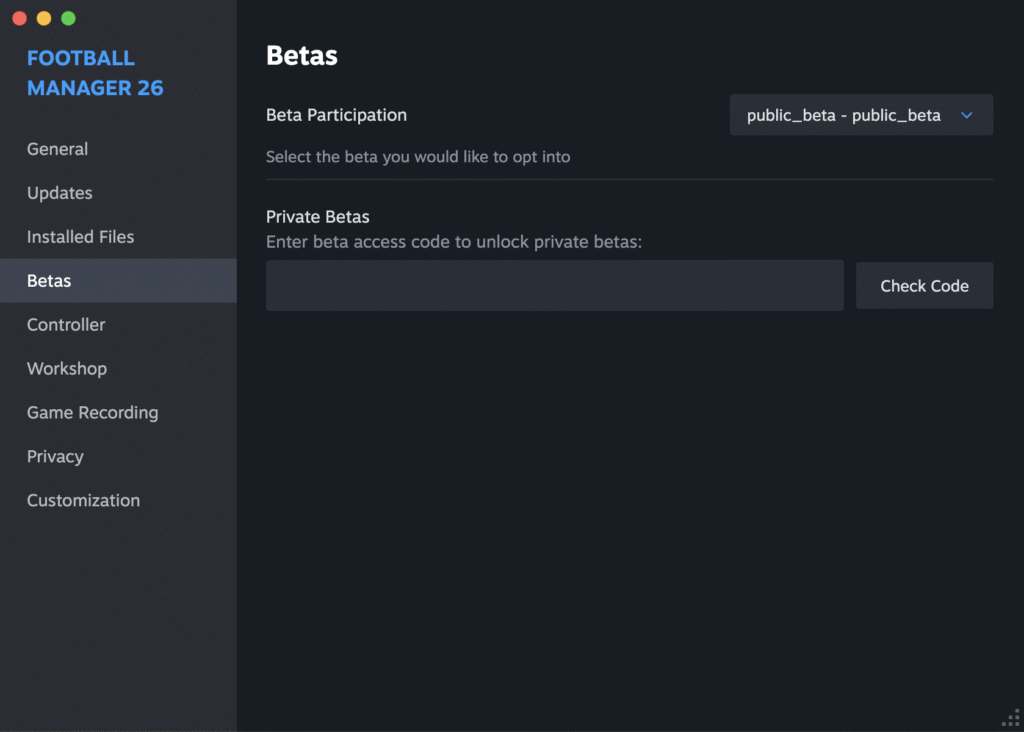
- Head back to your Steam library. Your game should now look like this

- Load the game.
- Once you’re in your save, click on the settings icon (the little cog in the top right corner).
- Go to Preferences.
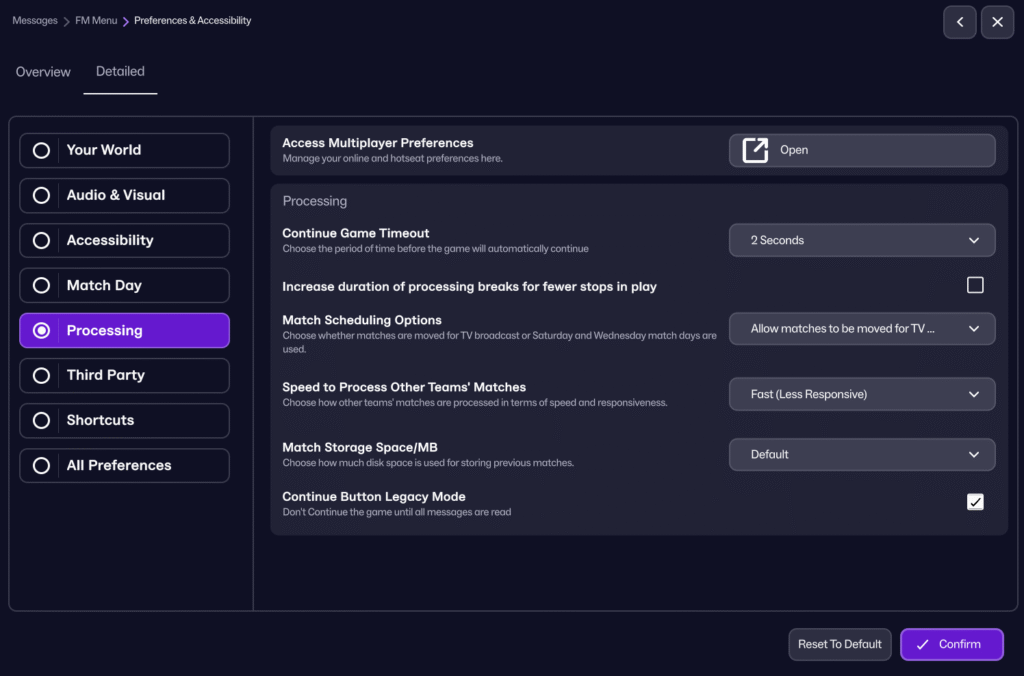
- Select Detailed.
- Click on Processing.
- Make sure Continue Button Legacy Mode is ticked.
- Hit Confirm and enjoy a huge improvement to your FM experience. One that, realistically, should never have been removed in the first place.
Want to make FM 26 feel like FM 24? Find out how here!
Click for everything you need to know about the second FM 26 patch update and future patches!
The Football Manager community gives it’s verdict on the new FM 26 patch update!